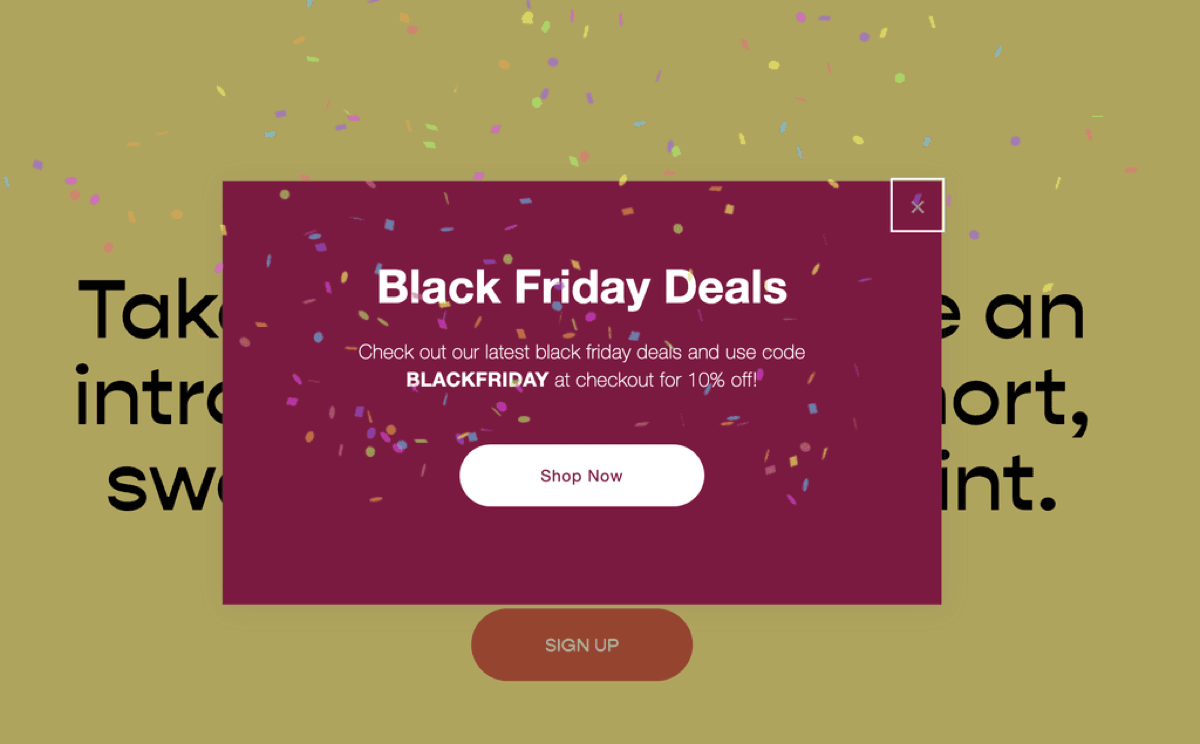
If you run a store on Squarespace, a promotional popup is the fastest way to make sure visitors actually see your Black Friday offer. Squarespace has the popup built in; this tutorial adds the part it doesn't have: a confetti burst when the popup appears, which sounds gimmicky and works anyway.
Does Squarespace have a Black Friday sale?
Usually, yes. In most recent years Squarespace has run a Black Friday and Cyber Monday promotion with a discount on the first year of an annual plan. It has tended to start in late November, run through Cyber Monday and apply only to new subscriptions, so an existing annual plan can't be repriced. The size of the discount changes from year to year and isn't announced far ahead, so check the official pricing page in Black Friday week (27 November 2026) rather than trusting coupon sites.
If you're planning a new site, it can make sense to buy the plan during the sale and finish the build afterwards. The site doesn't need to be ready to launch for you to lock in the price.
A Black Friday checklist for your Squarespace store
- Schedule the discount: create it in the Discounts panel as an automatic discount or a code, and set the start and end dates so nobody has to switch it on at midnight.
- Add an announcement bar: plenty of visitors close a popup without reading it. A bar across the top of every page catches them.
- Check stock and shipping: update inventory, and make sure delivery cut-off dates are visible if you ship physical products.
- Test checkout on your phone: add a product, apply the discount and get as far as the payment step. A lot of Black Friday shopping happens on phones.
- Add the popup: the rest of this post shows how, with a confetti effect when it opens.
The popup: what you get
- Confetti fires automatically when your promotional popup appears
- Control over when and how quickly the popup displays (via Squarespace's own settings)
- Point the popup anywhere: your store, a sale category, or a landing page
Step 1: Create the popup
In your dashboard, go to Marketing → Promotional Pop-Up and build the offer: headline, discount, button destination and display timing all live here. This is standard Squarespace, no code yet.
Step 2: Add the confetti
Paste this into Settings → Advanced → Code Injection → Footer:
<script src="https://cdn.jsdelivr.net/npm/canvas-confetti@1.5.1/dist/confetti.browser.min.js"></script>
<script>
function triggerConfetti() {
  confetti({
    particleCount: 200,
    spread: 100,
    zIndex: 99999,
  });
}
document.addEventListener("DOMContentLoaded", function() {
  !function e() {
    let n = document.querySelector(".sqs-popup-overlay.visible");
    n ? setTimeout(triggerConfetti, 2000) : setTimeout(e, 100);
  }();
});
</script>
The script waits for the popup overlay to become visible, then fires the confetti two seconds later. Tweak particleCount and spread to taste, or change the 2000 (milliseconds) to fire sooner or later.
Developers: the effect uses the open-source canvas-confetti library, which supports shapes, colours and directional bursts if you want to match it to your brand.
Works just as well for January sales, launches, or anything else worth celebrating. Just update the popup content and leave the code where it is.
Want your store ready for the sales season?
Popups, promotions, checkout tuning and everything else that turns browsers into buyers. It is all part of how we handle Squarespace e-commerce setup. We set stores up for this all the time.
Talk to us