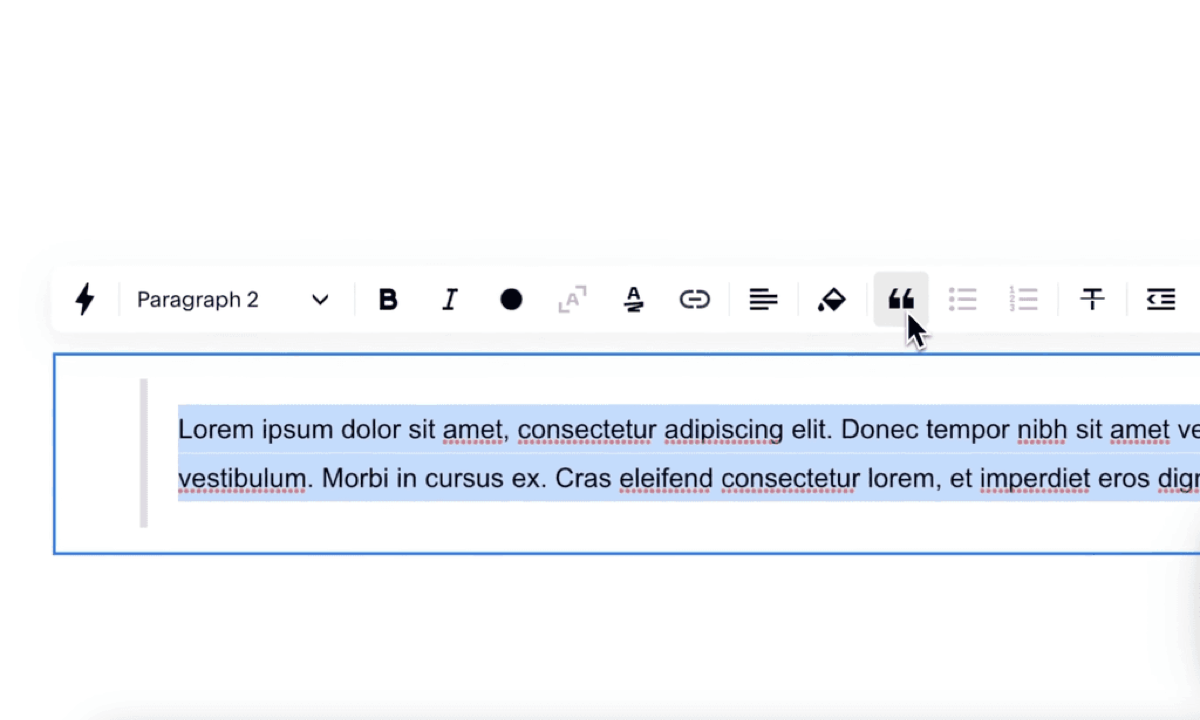
There's a Squarespace quirk where text formatted as a quote inside a text block displays correctly in the editor (indent, border, spacing) and then loses all of it the moment you save and view the live page.
We hit this on several client sites in quick succession, wrote a CSS fix, and figured it was worth sharing.
Watch the fix
The code
Paste this into Pages → Website Tools → Custom CSS:
blockquote {
  border-left: 10px solid #efefef; /* replace with your hex code */
  padding-left: 10px;
  margin-left: 10px;
  padding-top: 10px;
  padding-bottom: 10px;
}
Adjusting it
- Border colour: swap
#efefeffor any hex code; your brand accent usually works well here. - Border weight: the
10pxon the first line controls the thickness of the left bar. - Spacing: the padding and margin values control the indent and breathing room. Tweak to match your site's rhythm.
That's the whole fix. It applies to every quote-formatted block on the site, so you only need to add it once.
Need help installing this code?
If CSS isn't your thing, we'll install and style it for you, usually same day. It falls under our Squarespace support work, billed by the hour.
Get in touch