Squarespace is the better pick for most UK small businesses that want a site that looks finished, stays tidy and doesn't need constant attention. Wix is the better pick if you want a free plan, total freedom over where every element sits, or a specific app that only Wix has. Both will run a perfectly good small business website.
A quick declaration before the detail: we're a Squarespace agency, so we're not neutral. We've also rebuilt plenty of Wix sites on Squarespace, and we've told some people to stay on Wix. This is the comparison we give on discovery calls.
Wix vs Squarespace at a glance
| Wix | Squarespace | |
|---|---|---|
| Editor | Freeform: drag anything anywhere | Grid: blocks snap into place |
| Phone layout | Check and adjust it yourself | Restacks automatically, with tweaks if you want them |
| Free plan | Yes, with Wix adverts | No, 14-day free trial |
| Cheapest plan can sell | No (Light) | Yes, with a 2% transaction fee (Basic) |
| Switching template | Not possible | Not possible, but every template has the same features |
| Apps | Large app market | Smaller extension library, more built in |
| Booking | Wix Bookings | Squarespace Scheduling |
| Moving between them | A rebuild in either direction | |
The real difference is how each one lets you edit
Most comparisons list features. The difference you'll actually feel is in the editor.
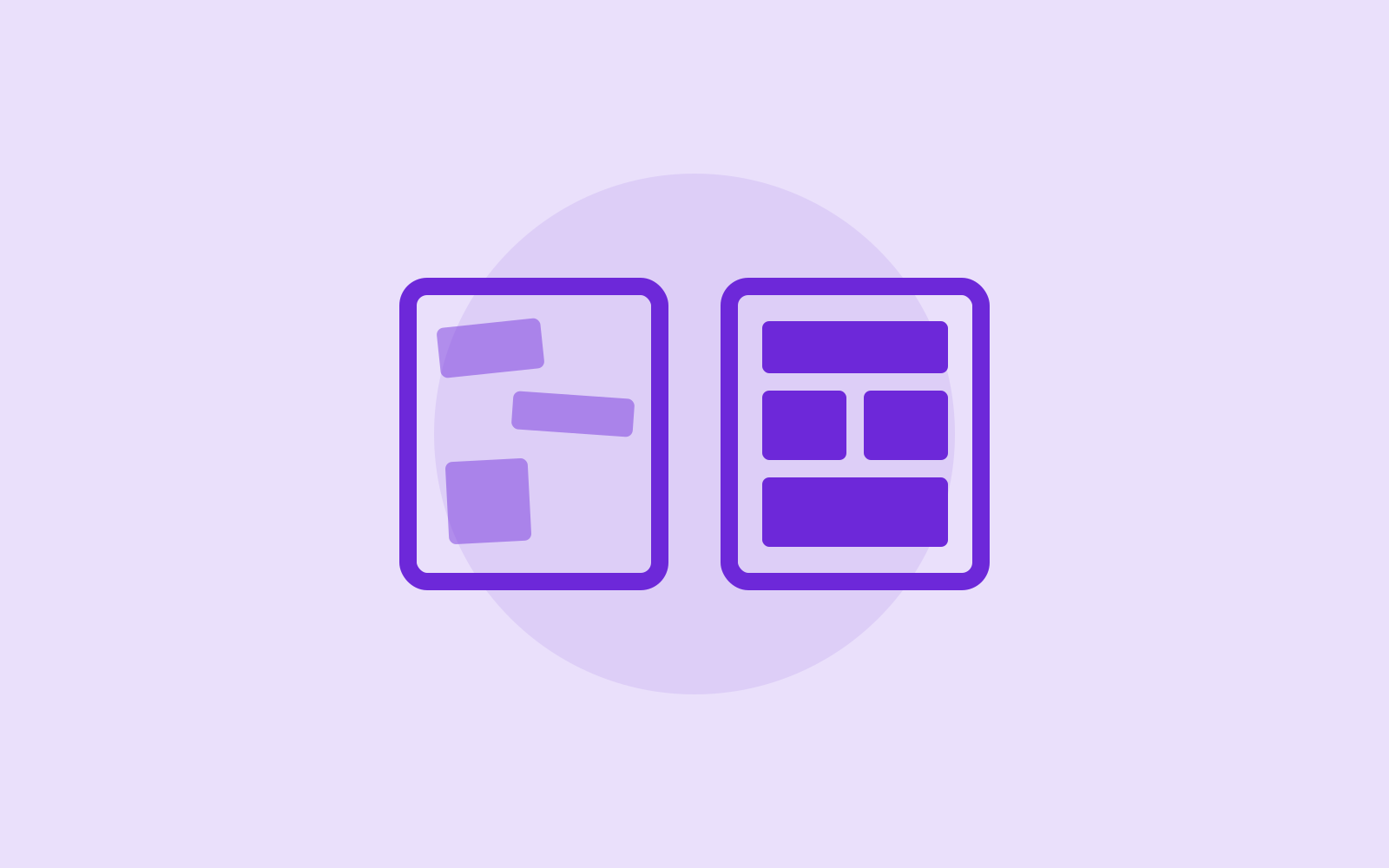
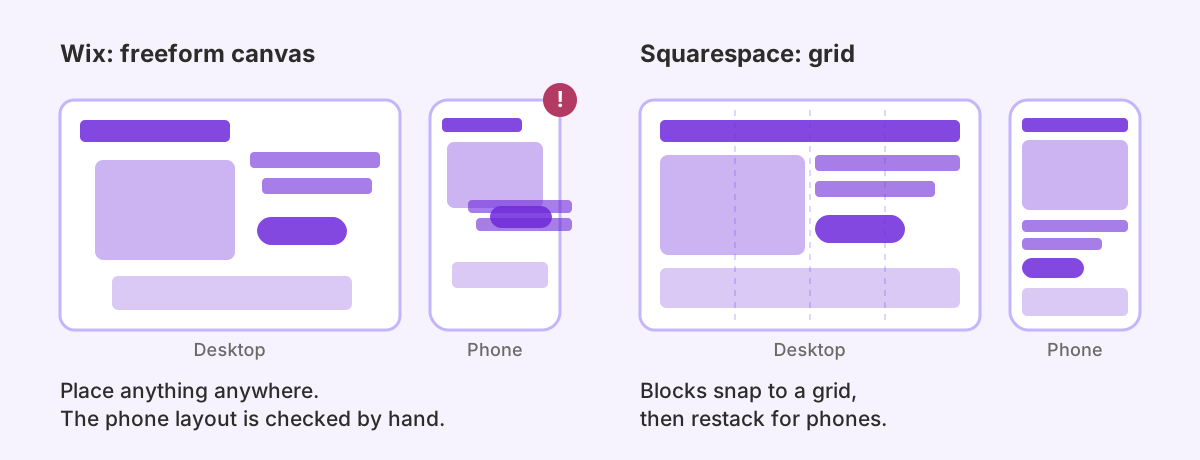
Wix gives you a freeform canvas. You can drag any element anywhere on the page, overlap things and nudge them pixel by pixel. That's great if you have a strong picture in your head and the patience to get it right. It's also how Wix sites end up with buttons that sit slightly off-line and text boxes that collide on a phone, because the mobile layout is something you have to check and adjust separately.
Squarespace's editor works on a grid. Blocks snap into place, spacing stays consistent, and the site is built to rearrange itself for mobile. You get less freedom, and that's mostly a good thing: it's harder to make a Squarespace site look messy. For a business owner who edits the site twice a month, the guardrails matter more than the freedom.
Templates and design
Both have hundreds of templates, and both look good in the preview. Neither lets you swap to a different template once you've started. Wix's help centre says it isn't possible to switch an existing site to a different template, and Squarespace 7.1 has no template switch either.
On Squarespace that matters less than it sounds. Every 7.1 template is the same underlying site with a different style preset, so they all have the same features. You pick one for the look, then make it your own with fonts, colours and section layouts set once for the whole site. You never have to choose a template because it has a feature the others lack.
On Wix, you restyle the site you have by changing its colours and fonts and moving elements around the canvas. On either platform, a big change of look means reworking your pages, not flicking a switch.
What each one costs in the UK
Both charge a monthly subscription, both are cheaper if you pay annually, and both include a free domain for the first year on annual plans. At the entry level they're within a few pounds of each other, so the headline price shouldn't decide it. Prices change and both run regular offers, so check the current UK price on the Squarespace pricing page and the Wix plans page before you sign up.
The differences that matter more than the monthly figure:
- Free plan. Wix has one. It carries Wix adverts and a Wix web address, so it's fine for testing and not much use for a business. Squarespace has no free plan, just a 14-day free trial.
- Selling on the cheapest plan. Wix's cheapest paid plan, Light, can't take payments. Squarespace's cheapest plan, Basic, can sell, but Squarespace adds a 2% transaction fee on store sales on Basic. That fee drops to 0% from the Core plan up.
- Custom code. Squarespace's code injection, which you need for most tracking scripts and third-party widgets, isn't available on Basic. If you know you'll need it, budget for Core.
- Apps. Wix sites often grow a list of paid apps from the Wix App Market, each with its own monthly charge. Add those up before comparing plan prices.
The subscription is the small part of the cost either way. The bigger one is the time it takes to build the site properly, or the fee for someone to do it for you.
Selling online
For a small shop, both will do the job. Squarespace Commerce handles physical and digital products, subscriptions, discount codes and abandoned-cart emails on the higher plans, and it connects to Stripe and PayPal. Our guide to taking payments on Squarespace walks through the options.
Wix's store has a longer feature list, especially for selling in several currencies and for dropshipping. If you're planning a large catalogue or complex shipping rules, look at Shopify as well as both of these. If you sell a few dozen products and care most about how the shop looks, Squarespace is the cleaner fit. We cover where that line sits on our Squarespace e-commerce page.
Apps, bookings and custom features
Wix's biggest advantage is breadth. The Wix App Market has an app for almost everything, and Wix's developer platform lets a developer add custom databases and logic. If your business depends on a specific feature, check whether it exists on each platform before you choose.
Squarespace's built-in tools cover what most small businesses need without add-ons: Squarespace Scheduling for appointments and classes, Member Areas for paid content, email campaigns, and a store. Its extension library is smaller, so for anything unusual you'll be using an embed or a third-party integration. That works well for CRMs, email tools and booking systems, which is what most businesses are after.
SEO: closer than people think
You'll find old forum threads saying Wix is bad for SEO. That reputation comes from years ago, and it isn't a good reason to choose either platform today. Both let you set page titles, descriptions and clean URLs, both generate a sitemap, and both are fast enough for a small business site.
What decides whether you rank is the content on the pages, whether each service has its own page, and whether your Google Business Profile matches your site. Our Squarespace SEO checklist covers the settings we check before every launch.
Switching later is a rebuild
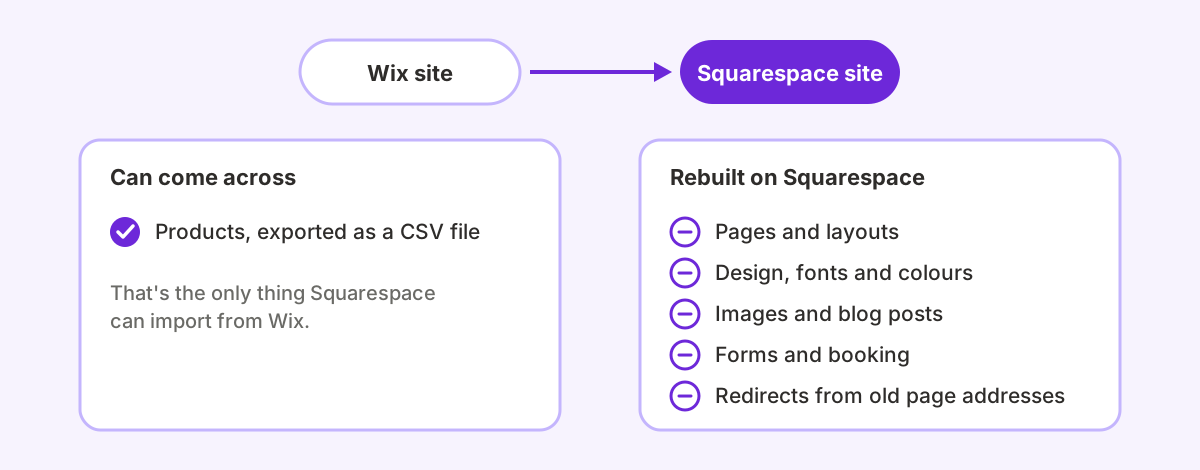
This is worth knowing before you start. There's no button to move a Wix site to Squarespace or back. Squarespace can import Wix products from a CSV file, but not your layout, design or fonts. Pages, images and blog posts have to be moved across and rebuilt.
So treat the choice as a few years' commitment. Pick the platform you'll be happy editing in 2028, not the one with the best offer this month.
Which one should you pick?
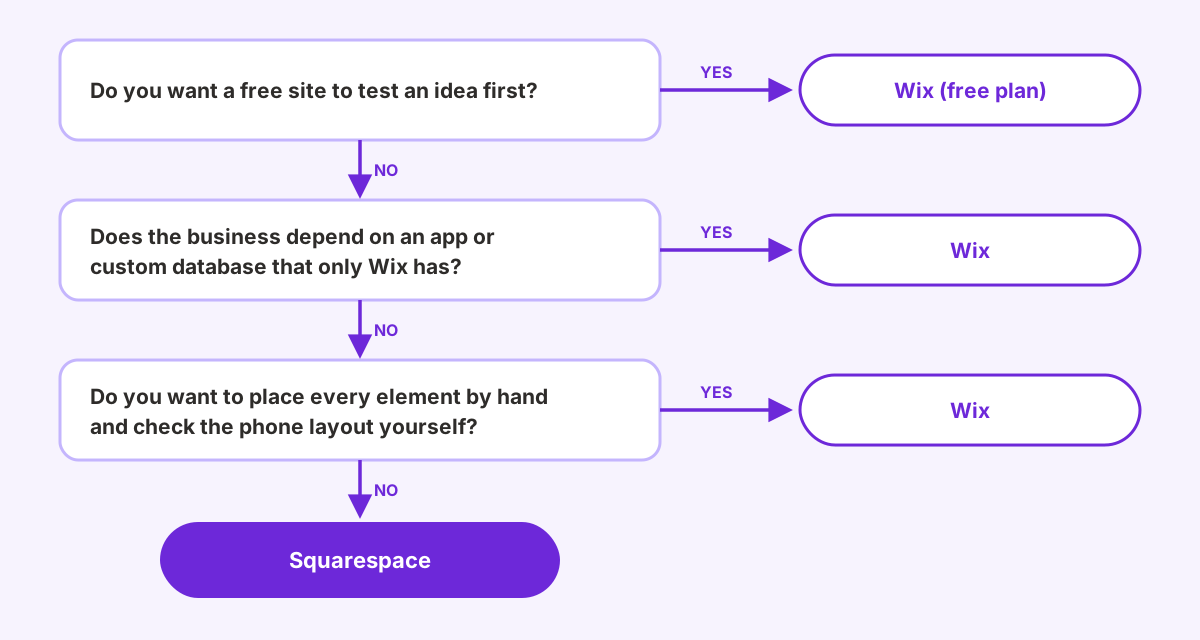
Pick Wix if:
- you want a free site to test an idea before spending anything
- you want to place every element exactly where you like and you'll check the mobile layout yourself
- you need a specific app or custom database feature that only Wix offers
Pick Squarespace if:
- you want a site that looks professional without a designer's eye, and stays that way when you edit it
- you want booking, a small shop, memberships or email marketing built in rather than bolted on
- you'd rather set fonts and colours once for the whole site than style every page by hand
If you've already decided on Squarespace and would rather not build it yourself, that's what we do. We're an Official Squarespace Expert agency, and you can see what a Squarespace web designer for UK businesses covers, or read why we think Squarespace is the right choice in 2026.
Frequently asked questions
Is Wix or Squarespace better for a small business in the UK?
For most UK small businesses, Squarespace. It's harder to make look messy, it handles mobile layouts for you and it includes booking, a shop and email marketing. Wix is the better choice if you need its free plan, its freeform editor or a specific app from the Wix App Market.
Is Wix cheaper than Squarespace?
Wix has a free plan with adverts, and Squarespace doesn't. On paid plans the two are close, so compare what each plan includes, such as whether it can take payments and whether it allows custom code, rather than the headline monthly price.
Is Squarespace better than Wix for SEO?
Not in any way that will decide your rankings. Both give you control over page titles, descriptions and URLs, and both create a sitemap. Your content, your page structure and your Google Business Profile matter far more than the platform.
Can I move my Wix site to Squarespace?
Yes, but it's a rebuild rather than an import. Squarespace can import Wix products from a CSV file, but pages, images, blog posts and the design have to be recreated on Squarespace.
Can I change my template later on Wix or Squarespace?
Not on either. Wix doesn't let you switch an existing site to a different template, and Squarespace 7.1 has no template switch. On Squarespace every 7.1 template has the same features, so you change the look through the site's fonts, colours and layouts instead of swapping templates.
Moving from Wix, or starting fresh?
We design and build custom Squarespace websites for UK businesses, including rebuilds of existing Wix sites. Official Squarespace Expert agency, 500+ sites built.
Talk to a Squarespace expert