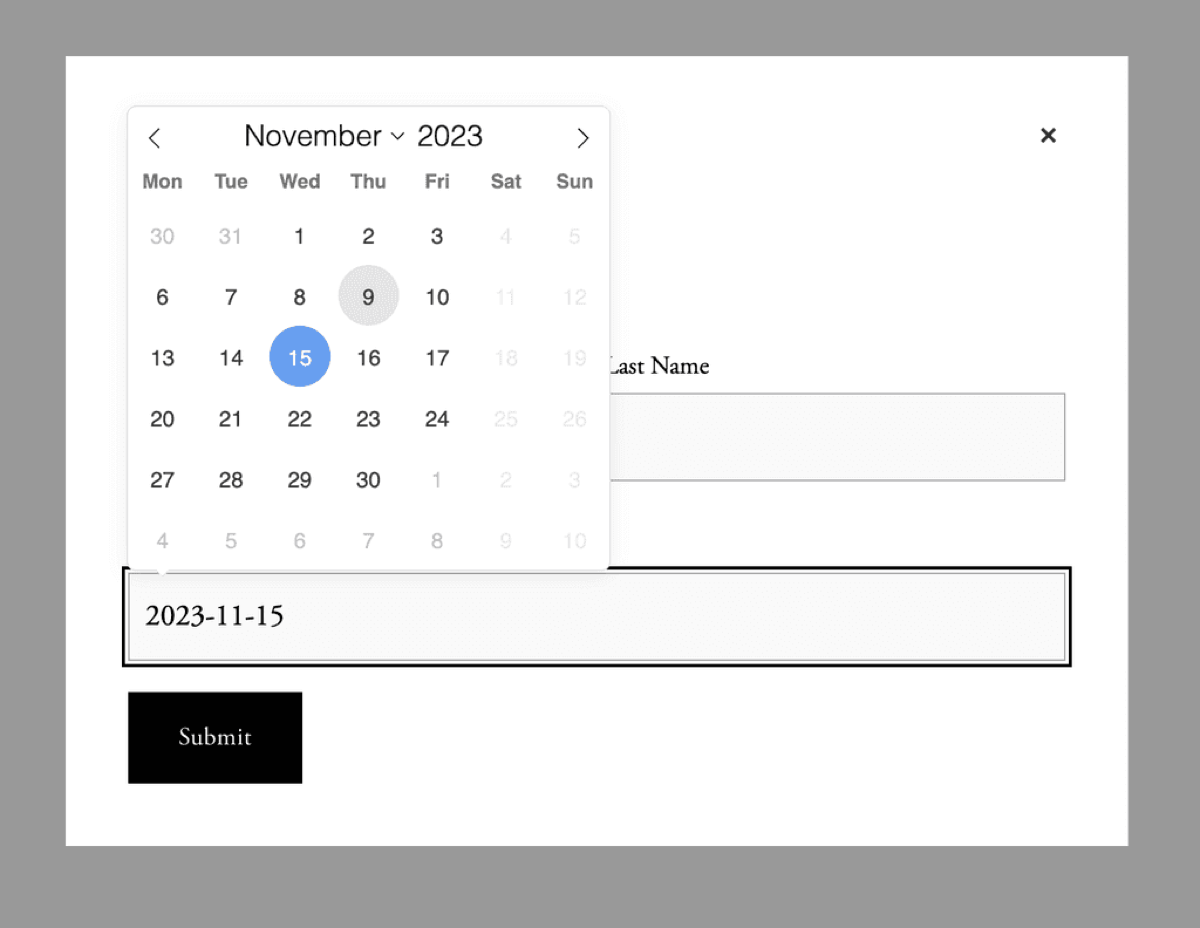
Squarespace form blocks don't ship with a proper datepicker, and a platform update broke the third-party plugins most people were using for one. A client hired us to build a custom-coded replacement, and it's the kind of thing that's more useful shared than sitting in one site's code injection. So here it is.
What it does
- Adds a calendar UI to any form field labelled "Date", on normal pages and inside lightbox forms
- Disables days of the week (block every Saturday and Sunday, for example)
- Disables specific one-off dates (holidays, fully-booked days)
- Stops visitors picking dates in the past
The code
Paste this into Settings → Advanced → Code Injection → Footer. Your form needs a text field whose label contains the word Date.
<script src="https://ajax.googleapis.com/ajax/libs/jquery/3.7.1/jquery.min.js"></script>
<link rel="stylesheet" href="https://cdn.jsdelivr.net/npm/flatpickr/dist/flatpickr.min.css">
<script src="https://cdn.jsdelivr.net/npm/flatpickr"></script>
<script>
  $(window).on("load", function() {

    function rmydays(date) {
      // disable weekends (0 = Sunday, 6 = Saturday)
      return date.getDay() === 0 || date.getDay() === 6;
    }
    var flatpickrOptions = {
      "disable": [
        rmydays,          // weekend rule above
        "2026-12-24",     // plus any one-off dates
        "2026-12-25"
      ],
      minDate: "today",   // no past dates
      "locale": {
        "firstDayOfWeek": 1  // start the week on Monday
      }
    };
    $(".sqs-block-form").each(function() {
      if ( $(".lightbox-handle-wrapper").length ) {
        $(".lightbox-handle").click(function() {
          var checkExist = setInterval(function() {
            if ( $(".form-item label:contains('Date')").length ) {
              clearInterval(checkExist);
              $(".form-item label:contains('Date')").next().flatpickr(flatpickrOptions);
            }
          }, 100);
        });
      } else {
        $(".form-item label:contains('Date')").next().flatpickr(flatpickrOptions);
      }
    });
  });
</script>
<style>
  .flatpickr-calendar.open {
    z-index: 999999999 !important;
  }
</style>
Customising it
- Blocked dates: edit the quoted dates in the
disablearray (formatYYYY-MM-DD). Add as many as you need, comma-separated. - Different days off: change the numbers in
rmydays: 0 is Sunday through 6 for Saturday. To block Mondays only, usedate.getDay() === 1. - Allow past dates: remove the
minDate: "today"line.
Under the hood this uses flatpickr, a lightweight open-source datepicker, so anything in their documentation (date ranges, time selection, min/max windows) can be bolted on with additional options.
Need help installing this?
Custom code, third-party integrations and the things Squarespace won't do out of the box. Send us the problem and we'll quote it.
Get help with code